
Download Sevi – Payment Solution, Order Now Pay Later, Credit Line, Finance Tool
Overview
Sevi is a mobile application developed by Sevi Innovation Limited, designed to streamline financial transactions between buyers and sellers. Positioned within the Business and Productivity category, specifically under Finance, the app functions as a digital payment solution that enables users to conduct purchases on credit. Its primary purpose is to support small businesses and individual entrepreneurs by offering flexible payment terms through a secure and user-friendly platform. The app allows buyers to place orders and choose a deferred payment plan, effectively using an "Order Now, Pay Later" model. This helps preserve working capital for operational needs, such as inventory or daily expenses.
Sellers benefit by expanding their customer base through credit options, which can increase sales volume and customer retention. Sevi handles the credit line provision, identity verification via KYC, and payment follow-ups, reducing administrative burdens. The app is available exclusively on Android, with a file size of 25.5 MB, and was released on May 10, 2023. It is free to download and use, making it accessible to a broad range of users in the digital commerce space. Real-world use cases include local retailers offering credit to repeat customers, freelancers purchasing tools or materials on credit, and small vendors managing cash flow more efficiently.
Key Features & Capabilities
- Order Now, Pay Later – Buyers can place orders and select a payment plan, deferring full payment until a later date. This feature supports business continuity by preserving immediate cash reserves.
- Credit Line Management – Sevi provides a credit line to eligible users, enabling them to make purchases without upfront payment, subject to approval.
- Integrated KYC Process – The app includes a built-in identity verification system to ensure secure and compliant transactions.
- Payment Follow-Up System – Sevi manages overdue payment reminders and collections, reducing the risk of non-payment for sellers.
- Business-Focused Transaction Platform – Designed for small-scale sellers and buyers in local and digital marketplaces, supporting seamless credit-based commerce.
These capabilities allow users to operate with greater financial flexibility. For example, a local shop owner can offer credit to loyal customers, increasing sales without risking their own funds. Similarly, a freelance graphic designer can purchase design software on credit, improving workflow efficiency. The platform supports both parties in maintaining smoother cash flow, with Sevi handling the backend financial operations. The app’s focus on business-to-business and business-to-consumer transactions makes it a practical tool for micro-entrepreneurs and small vendors in emerging digital economies.
User Interface, Workflow & Performance
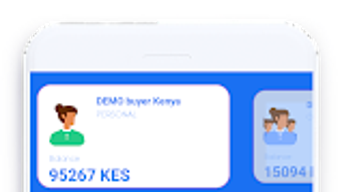
The user interface of Sevi is designed with simplicity and functionality in mind, featuring a clean layout optimized for mobile use. Navigation is structured around core actions: account registration, order placement, payment plan selection, and transaction history. The workflow is linear and intuitive, guiding users through each step of the credit purchase process. Registration requires basic personal and business information, followed by the KYC verification stage, which is integrated directly into the app.
Once verified, users can browse available goods or services, add items to their cart, and choose a payment plan. The app displays clear timelines and payment schedules, helping users manage their obligations. Performance details were not specified by the developer.
However, given the app’s file size of 25.5 MB, it is likely optimized for moderate to low-end Android devices. The developer did not provide additional system requirements or performance benchmarks. Stability and resource usage behavior are not publicly documented.
General software behavior patterns suggest the app operates efficiently under standard mobile conditions, but actual performance may vary based on device capabilities and network conditions.
Compatibility & System Requirements
Sevi is designed for Android operating systems and is available for download via the Google Play Store. The app’s file size is 25.5 MB, indicating a lightweight footprint suitable for a wide range of Android devices. However, exact system requirements, such as minimum Android version or hardware specifications, were not listed by the developer. Compatibility information is limited to the Android platform, with no indication of support for iOS, Windows, or other operating systems.
The developer did not specify whether the app supports older Android versions or requires specific device capabilities like NFC or biometric authentication. Installation and operation appear to be straightforward, but users should verify compatibility with their device before downloading. For those using devices with limited storage or older software, the app’s size may be a consideration. The absence of detailed technical specifications prevents a comprehensive assessment of its performance across different hardware environments.
Pros and Cons
Pros
- Free to download and use, reducing entry barriers for small businesses.
- Offers a flexible "Order Now, Pay Later" option to improve cash flow management.
- Integrated KYC process enhances transaction security and compliance.
- Handles credit line management and payment follow-ups, reducing seller workload.
- Lightweight app size (25.5 MB) improves accessibility on lower-end devices.
Cons
- Platform availability is limited to Android; no support for iOS or desktop systems.
- Exact system requirements and compatibility details were not provided.
- Performance and resource usage data are not available for evaluation.
- Limited information on customer support or update frequency.
- App functionality is restricted to credit-based transactions, with no broader financial tools.
FAQ Section
Is Sevi available for iOS devices?
As of now, Sevi is only available for Android. There is no official release for iOS devices.
Is the app safe to use?
Sevi includes a built-in KYC process and is designed to secure financial transactions. However, the developer did not provide specific security certifications or third-party audits.
How often does Sevi release updates?
The developer has not disclosed the update schedule or frequency for the app.
What type of license does Sevi use?
Sevi is a free-to-use application with no explicit licensing terms provided. It operates under a service-based model.
Can I use Sevi offline?
Sevi requires an active internet connection for account access, order placement, and payment processing. Offline functionality was not mentioned.
Final Thoughts + CTA
Sevi presents a practical and accessible solution for small businesses and individual vendors seeking to implement credit-based sales models. By offering an "Order Now, Pay Later" system with integrated KYC and payment follow-up, the app reduces friction in digital commerce. Its lightweight design and free access make it suitable for users in emerging markets or with limited device resources.
While the app lacks cross-platform availability and detailed technical documentation, its core functionality is well-targeted for its intended audience. For entrepreneurs looking to enhance customer retention and manage cash flow more effectively, Sevi delivers a focused and secure experience. The app’s simplicity, combined with its financial flexibility, positions it as a valuable tool in the growing ecosystem of digital payment solutions.
Download Sevi now







